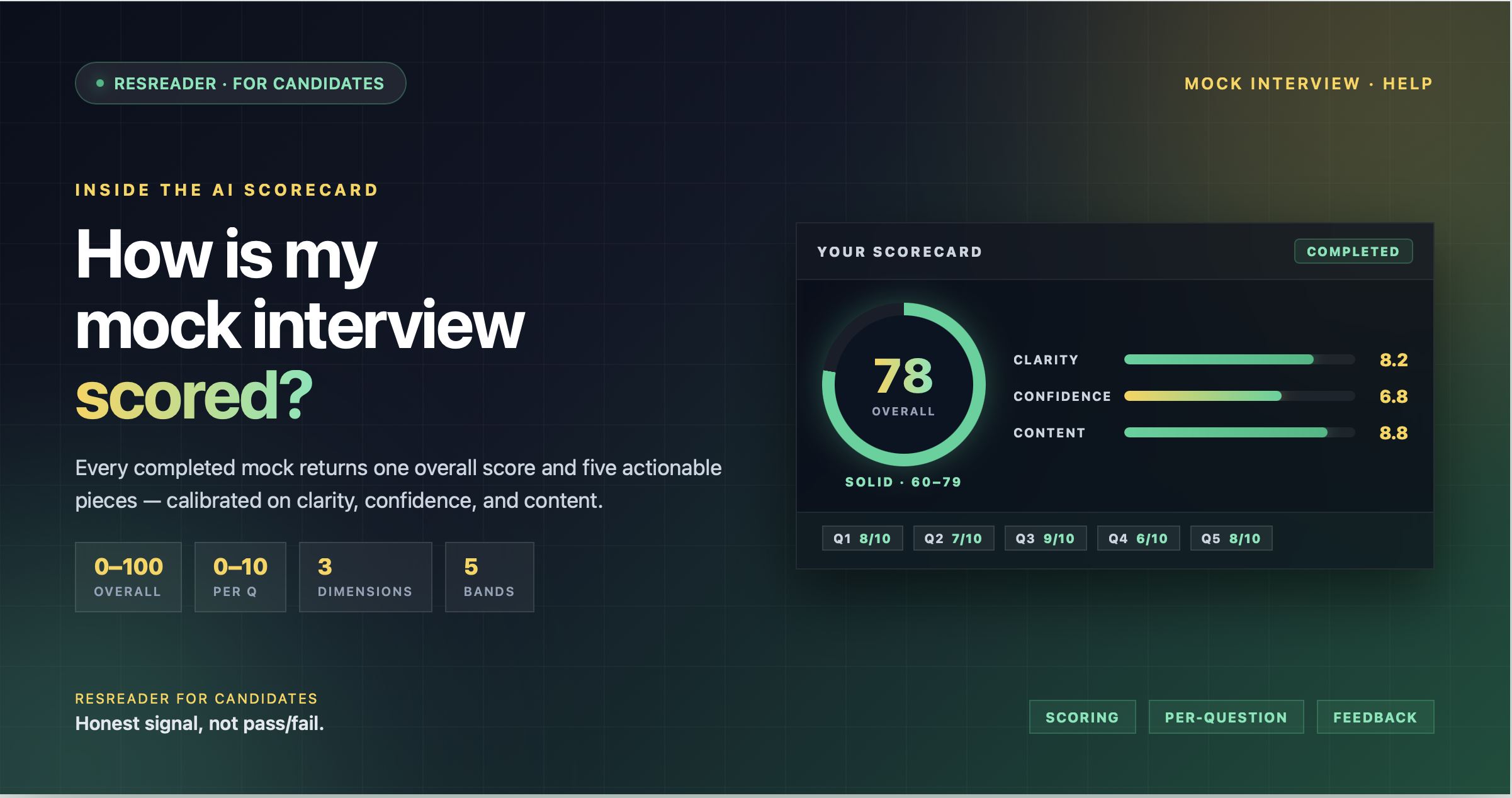
How Is My Mock Interview Scored?
When you finish a mock interview on ResReader, the AI coach reviews your full transcript and returns a structured scorecard. This article explains exactly what's in that scorecard, the dimensions we evaluate, and the rubric behind every number you see.
At a glance
Every completed mock interview produces:
- One overall score on a 0–100 scale.
- One per-question score on a 0–10 scale, with short feedback for each answer.
- A summary (two to four sentences) capturing how the session went.
- A strengths list and an improvements list — short, specific items you can act on.
All five outputs come from a single evaluator pass over your transcript after the interview ends. They are not pieced together from multiple models — one coach, one read, one consistent take.
The three dimensions we evaluate
The AI is instructed to judge each answer along three explicit dimensions:
- Clarity — Are your answers structured and easy to follow? Do you signal your point, then back it up? Or does the interviewer have to work to extract the takeaway?
- Confidence — Do you sound grounded in your own experience? Are you specific and decisive, or hedged and vague?
- Content — Is the substance there? Are your examples relevant to the role, the seniority, and the skills the job description calls for?
The same three lenses are applied to every question, which is what makes per-question scores comparable to each other and to the overall score.
What each score band means
The 0–100 overall score maps to five bands. These are the exact internal definitions the AI uses:
- 80–100 — Substantive, structured answers with concrete examples. You're ready for the real interview.
- 60–79 — Solid answers with minor gaps. Tighten one or two things and you're there.
- 40–59 — Vague or incomplete. You're answering the question, but the depth isn't landing yet.
- 20–39 — Very short or evasive. Either you're skipping past the question or you don't yet have a story to tell for this role.
- 0–19 — Did not engage meaningfully. Silent, off-topic, or near-empty answers fall here.
Per-question scores (0–10) follow the same shape, scaled to a single answer.
What you see on your scorecard
On the result page, the scorecard is laid out top-to-bottom in this order:
- The score dial — A large circle with your overall score in the centre. It's colour-coded so you can read the band at a glance: green for 80+, blue for 50+, amber for 30+, red below.
- The overall summary — Two to four sentences in your own language explaining how the session went. This is the "if you read nothing else, read this" view.
- Strengths card (green) — Three to four short bullets the AI identified as things you did well.
- Improvements card (amber) — Three to four short bullets pointing at the most useful things to fix next time. These are the actionable items.
- Per-question review — One card per question. Each one shows the question text, a short summary of your answer, the 0–10 score in a badge, and one to two sentences of AI feedback specific to that answer.
Everything is saved with the session, so you can re-read your scorecard from your history at any time.
Why 0–100 and not pass/fail
A mock interview is practice, not a hiring decision. A binary pass/fail collapses the signal we want to give you: where exactly on the curve you are, and how far you've moved between sessions. The 0–100 scale also makes the per-question breakdown useful — you can see that you scored 8/10 on the technical question and 5/10 on the behavioural one, and study accordingly.
It's also why the coaching tone in your feedback is honest but encouraging. The prompt explicitly tells the AI: this is practice, not hiring.
Edge cases worth knowing
- Very short or silent answers — These land in the 0–19 band but don't break anything. The session still completes and you still get the rest of the scorecard.
- Non-English answers — You can answer in any language the mock interview was set up in. Your feedback and summary come back in the same language you used; the rubric doesn't change.
- Empty transcripts — If for some reason no transcript is captured (e.g., audio failure), your session is marked completed with a clear note instead of an error, and no score is generated.
What to do with a low score
Don't restart in panic. The improvements card on your scorecard is the action list. Read those bullets first, then open your study guide for that interview — you'll get the AI's ideal answer for each question you struggled on.
Want to study an ideal answer per question? See Using the AI Study Guide After Your Mock Interview.
Try Now →
Start your first mock interview on ResReader — free, no credit card.