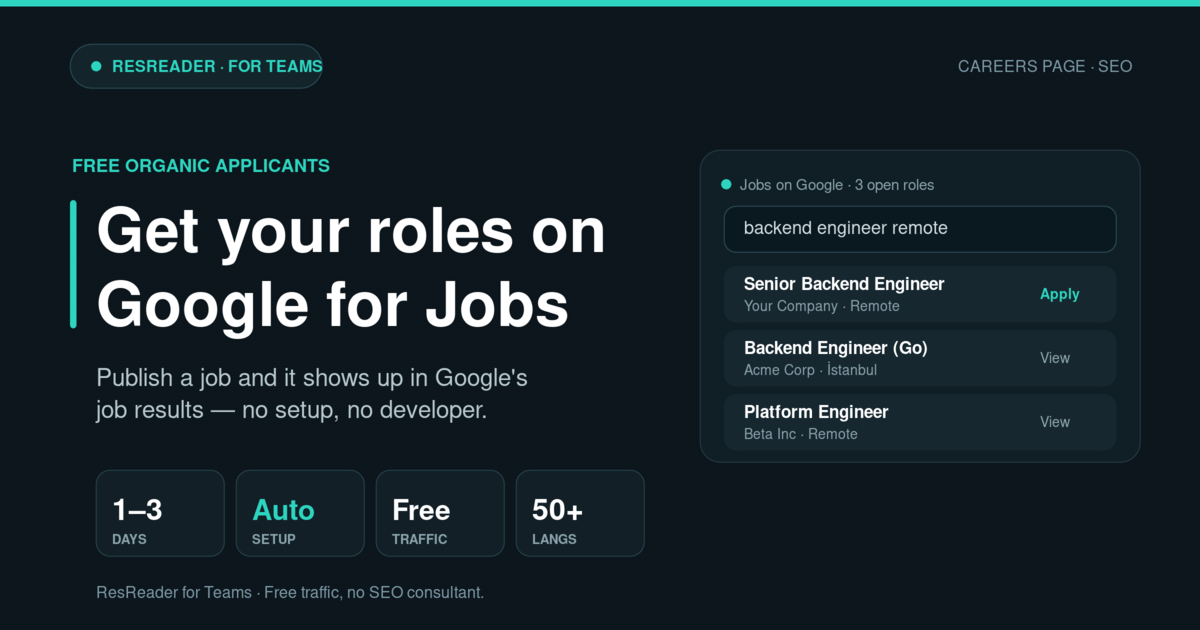
When someone types "backend engineer remote" into Google in 2026, the first thing they see — above the regular results, above the ads — is the Google for Jobs box. The companies in that box didn't pay to be there. Their roles simply showed up because they were published in a way Google could read, and Google picked them up on its own.
The companies not in there are usually losing free, ready-to-apply candidates without realizing it — almost always because their careers page wasn't built to be found.
This post explains how ResReader puts every role you publish in front of those candidates automatically, and what you can do to get even more out of it.
Why Google for Jobs is worth it
A few reasons this matters in 2026:
- It's free traffic. No ad budget, no agency. If your roles are listed properly, Google surfaces them at no cost.
- It's high-intent traffic. People in the Google for Jobs box are actively job-hunting right now. The apply rate from this source consistently beats promoted LinkedIn jobs and sponsored Indeed slots.
- Candidates pre-filter themselves. They search and filter by title, location, and remote — so the people who reach you already match the basics of the role.
The catch is that most company careers pages quietly fail to qualify. The page looks fine to a human, but it's missing the signals Google needs to trust and rank the listing. The most common miss: no "is this job still open?" date, which makes Google assume the posting is stale and push it down.
What ResReader does for you
Every workspace on ResReader automatically gets a public careers page at a clean, shareable address:
resreader.com/[your-company]
You publish a role; it appears on that page; and ResReader hands Google everything it needs to list the role — including the "still open" expiry date most company pages forget. Google reads it and adds your role to the Google for Jobs box, usually within a day or two.
That's the whole point: you publish the job, and it shows up in search. No developer, no setup, no waiting on IT.
If you've ever spent a weekend trying to make a homegrown careers site show up on Google, you know exactly what you're being spared.
What your careers page looks like
The page is clean and ready out of the box, and the parts that carry your brand are yours to set:
- Company name and logo — these also appear next to your roles in the Google for Jobs box, so candidates recognize you at a glance.
- Cover photo — sets the tone of the page.
- Company description — two or three sentences on what you do. Candidates do read this before applying.
- Location and company size.
- Links — website, LinkedIn, Glassdoor, X. They show up as buttons on your page.
When a candidate clicks a role, they land on a full job page with an apply button — and every application flows straight into your ResReader hiring pipeline, where it gets screened automatically.
How to get the most traffic from it
A few simple moves that compound:
- Fill out your company profile completely. A page with a logo, a real description, and a website gets more clicks than a bare one — the Google box shows your logo next to the role, and candidates skim by brand first.
- Use specific job titles. "Backend Engineer (Python, PostgreSQL)" beats "Software Engineer." Candidates filter by skills, and your title is the first signal.
- Be clear about location. If the role is remote, mark it remote. If it's in a city, name the city — the location filter is literal.
- Use a fresh listing for each role rather than reusing an old one for a different job.
- Link to your careers page from your main site. A simple "View open roles" link helps your jobs get found faster.
How fast does it work?
Most companies see their first role show up in Google for Jobs within one to three days of publishing. New accounts can take a little longer to build momentum; once you're established, new roles appear much faster.
If a role hasn't shown up within a week, check two things: that the job is actually published (not a draft), and that its apply link works — Google drops listings whose apply flow is broken.
The short version
If you're using ResReader, your roles are already set up for Google for Jobs. You publish the job; getting it in front of searching candidates happens on its own.
Most company careers pages leave this free traffic on the table simply because they were never built to be found. Yours doesn't have to be one of them.
To see your own careers page, log into ResReader and open the "View public careers page" link in your business settings — it's the same page Google sees.
Looking for your next role? Open ResReader for Candidates →