For three years, Google Interview Warmup was the go-to free tool for job seekers who wanted to practice talking through interview questions before the real thing. You'd pick a field, get five typical questions, type out answers, and Google would highlight your overused filler words and flag whether you'd touched on the right themes.
It worked. Millions of people used it. And then, quietly, Google retired it.
If you typed your way through Warmup last year and were planning to do another round before your next interview, this guide is for you. The short version: there's a more capable, free alternative that picks up where Google left off — but it works very differently from how Warmup did, and the differences are worth understanding before you sit down to practice.
What Google Interview Warmup actually was
Interview Warmup, launched by Google in mid-2022 as part of Grow with Google, was a text-based interview practice tool. You'd land on a page, choose a job field (Data Analytics, IT Support, Project Management, UX Design, e-Commerce, General), and Google would generate five questions one at a time. You'd type — or speak, with the in-browser speech-to-text — and Warmup would transcribe your answer, then surface a few high-level insights:
- Most-used words in your answer
- Job-relevant terms you mentioned (or didn't)
- Talking points the model identified
It didn't grade you. It didn't tell you whether your answer was strong or weak. It didn't ask follow-up questions. It didn't simulate the back-and-forth pressure of a real interview. But it was free, no sign-up was required, and for what it was — a low-stakes way to hear yourself answer a generic question out loud — it was useful.
When Google sunset the product, a quiet hole opened in the free-tier interview-prep market. ChatGPT can do something roughly similar with the right prompt, but it's text-only and you have to engineer the experience yourself. Paid interview-prep platforms exist, but most start at $30–50/month with onerous trial limits.
What a 2026 replacement should look like
The right way to practice for an interview in 2026 is not to type answers to generic questions. It's to talk through specific questions tailored to a specific job, the way you would in a real call — with an AI that asks follow-ups when your answer is vague, paces the conversation like a human interviewer, and gives you a real score at the end with actionable coaching, not just word-cloud trivia.
That's the standard a Google Warmup replacement should meet. Concretely, you want:
- Voice-first practice. You're going to talk in your real interview, not type. Practicing by typing builds the wrong muscles. A modern tool should accept your voice in real time, transcribe it accurately, and respond by speaking back.
- Questions tailored to a specific role. "Tell me about yourself" and "What's your greatest weakness" are warm-ups, not training. A good tool generates questions from the actual job description you're targeting, optionally pulling in details from your resume.
- Multi-turn conversation. When you give a thin answer, the AI should ask a clarifying follow-up — exactly like a real interviewer would.
- Scored feedback. Not "you said 'um' six times" but "your answer to question 3 lacked a concrete example — try the STAR format next time, here's what that might sound like".
- Repeatable on a free tier. Practice isn't useful if you only get one shot per month with no upgrade path.
ResReader for Candidates: the voice-based alternative
ResReader for Candidates is the tool we built to fill the gap Google left behind. It's free to start, voice and video-based, and the practice session is structured around a specific job, not a generic field.
Here's how the experience differs from Warmup:
You paste the job description, not pick a field. Generic fields like "IT Support" are too broad to generate useful questions. ResReader reads the actual job posting you're targeting and generates five questions specifically calibrated to that role — its required skills, its seniority, the company's framing.
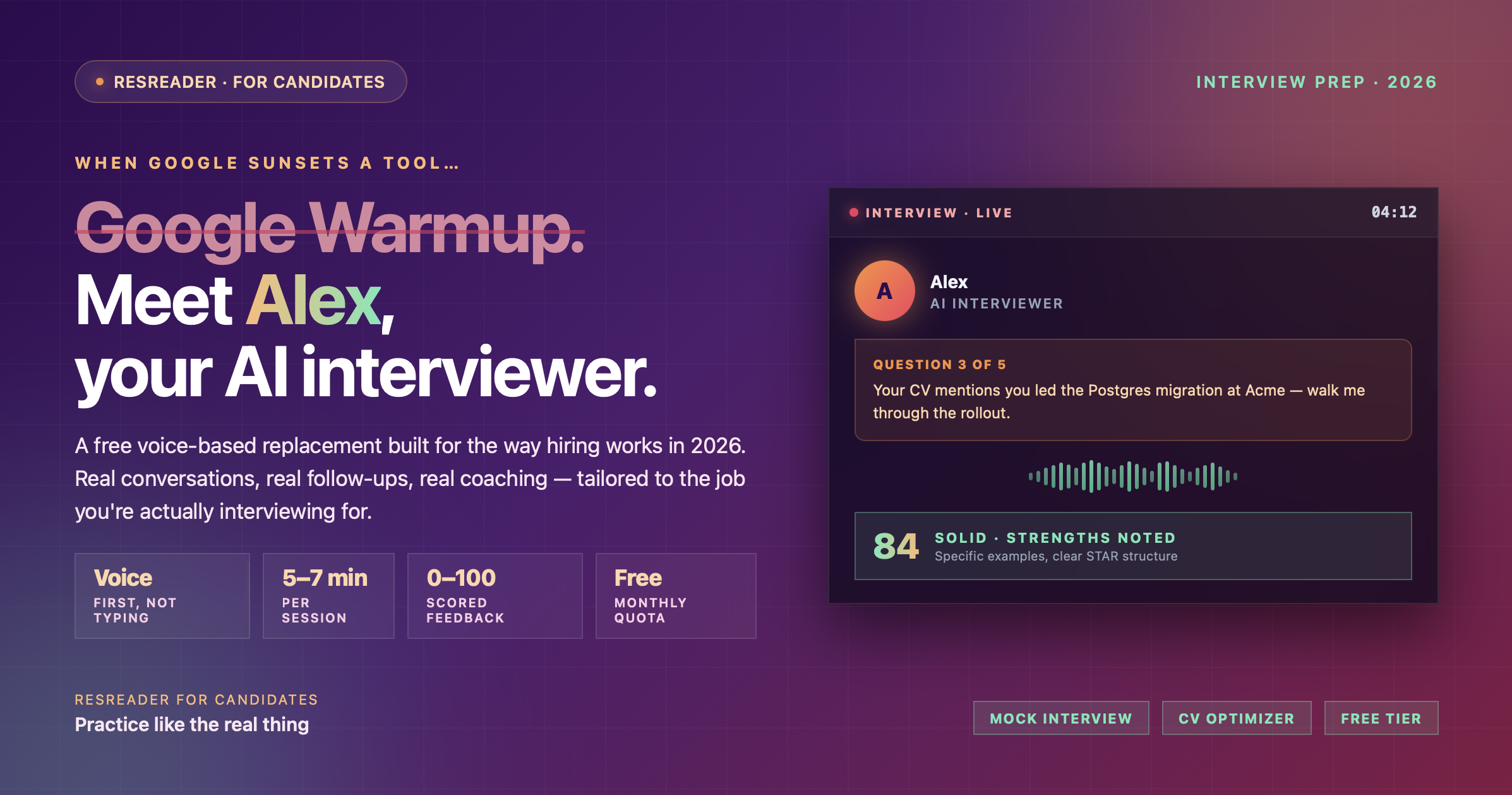
You talk, the AI talks back. ResReader uses a real-time voice connection (the same WebRTC technology video-conference apps use), so you and the AI interviewer — named Alex — actually have a conversation. Alex asks a question, listens, follows up if your answer was vague or off-topic, then moves on. The whole session runs about 5–7 minutes — similar to a screening-call segment.
Your resume is fair game (optionally). If you attach a resume, Alex will reference specific things on it: "Your CV mentions you led the migration to Postgres at Acme — walk me through the rollout." This is impossible with a generic question generator.
The AI scores you. After the session, you get an overall score from 0 to 100, a per-question score for each of the five questions, a written list of strengths, a written list of areas to improve, and a 2–4 sentence overall summary. Strong (80+), Solid (50–79), Needs Work (30–49), Try Again (under 30). The feedback is specific — it references things you actually said, not generic platitudes.
It works in your language. If the job description is in Spanish, Alex conducts the whole interview in Spanish. German, French, Mandarin, Japanese, Turkish — any major language the model speaks. Warmup was English-only.
What you give up vs. what you gain
Honest trade-offs:
- Sign-up required. Warmup needed nothing; ResReader needs a free account.
- Camera and microphone needed. Warmup ran in a tab; ResReader needs mic access (camera optional but recommended). On the upside, you're practicing under conditions much closer to a real video interview.
- Free tier is five practice sessions per month. Warmup was unlimited. ResReader's free tier gives you 5 mock interviews and 5 CV optimizations per month. If you need more, $29.99/month (Starter, with a 14-day free trial) gets you 30 interviews plus 30 CV optimizations, and Premium ($49.99/month) gives you 50 of each. You can also buy $11.99 top-up packs that add 10 mock-interview credits each (CV-optimization top-ups are available too) — useful when you have an interview-heavy week.
- Five questions vs. five questions. Both stick to a five-question format on the standard difficulty. ResReader lets you go to three questions for a faster warm-up or up to sixteen for a longer mock loop.
The honest gain: you actually practice talking, you get questions that match the job you're interviewing for, and you walk out with a number and a specific list of things to fix before the real thing. That's a different category of useful than Warmup ever was.
Who this is for
You should try ResReader for Candidates if:
- You used Google Interview Warmup and are looking for what to use now
- You have a specific interview coming up and want to rehearse for that role, not generic field-level questions
- You prefer talking to typing — most interviewers prefer this too
- You want feedback that's actionable, not just descriptive
- You're more comfortable practicing in a language other than English
You probably want something else if:
- You're not ready to use a microphone (which probably means you're not ready for the real interview either)
- You need fully anonymous, no-account-at-all access (ResReader needs a free account)
How to start
Open ResReader for Candidates, create a free account, and head to the Mock Interview tab. Paste the job description, optionally upload your CV, set the difficulty, and click Start Interview. Alex will pick up the call.
Five minutes later, you'll have your first score and your first piece of real coaching.